
Update PolySCSI Firmware
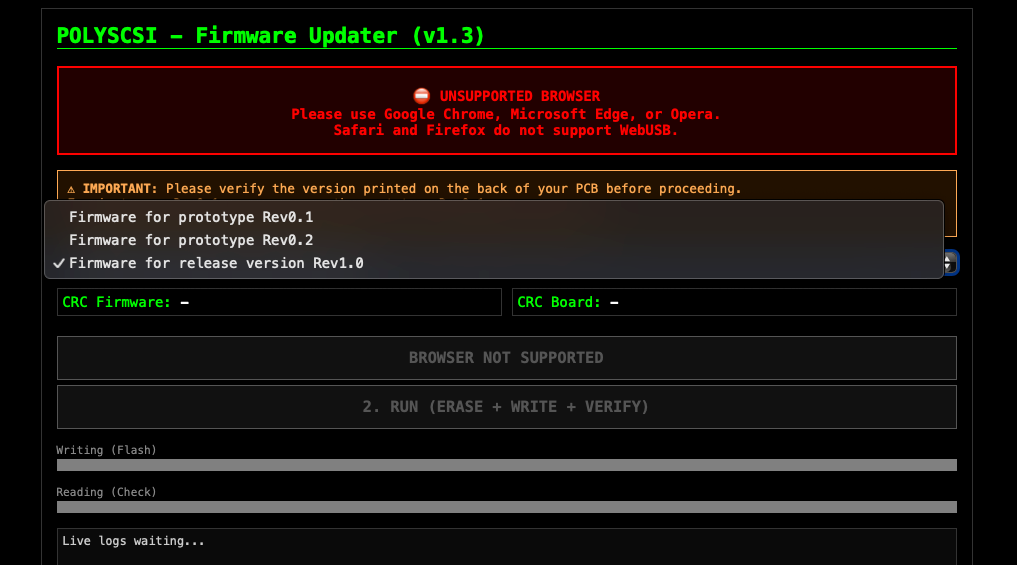
Firmware update can be done through the Polykubos PolySCSI online update https://polyscsi.polykubos.fr
Preparing update
Setup BOOTP Jumper to enable Update Mode
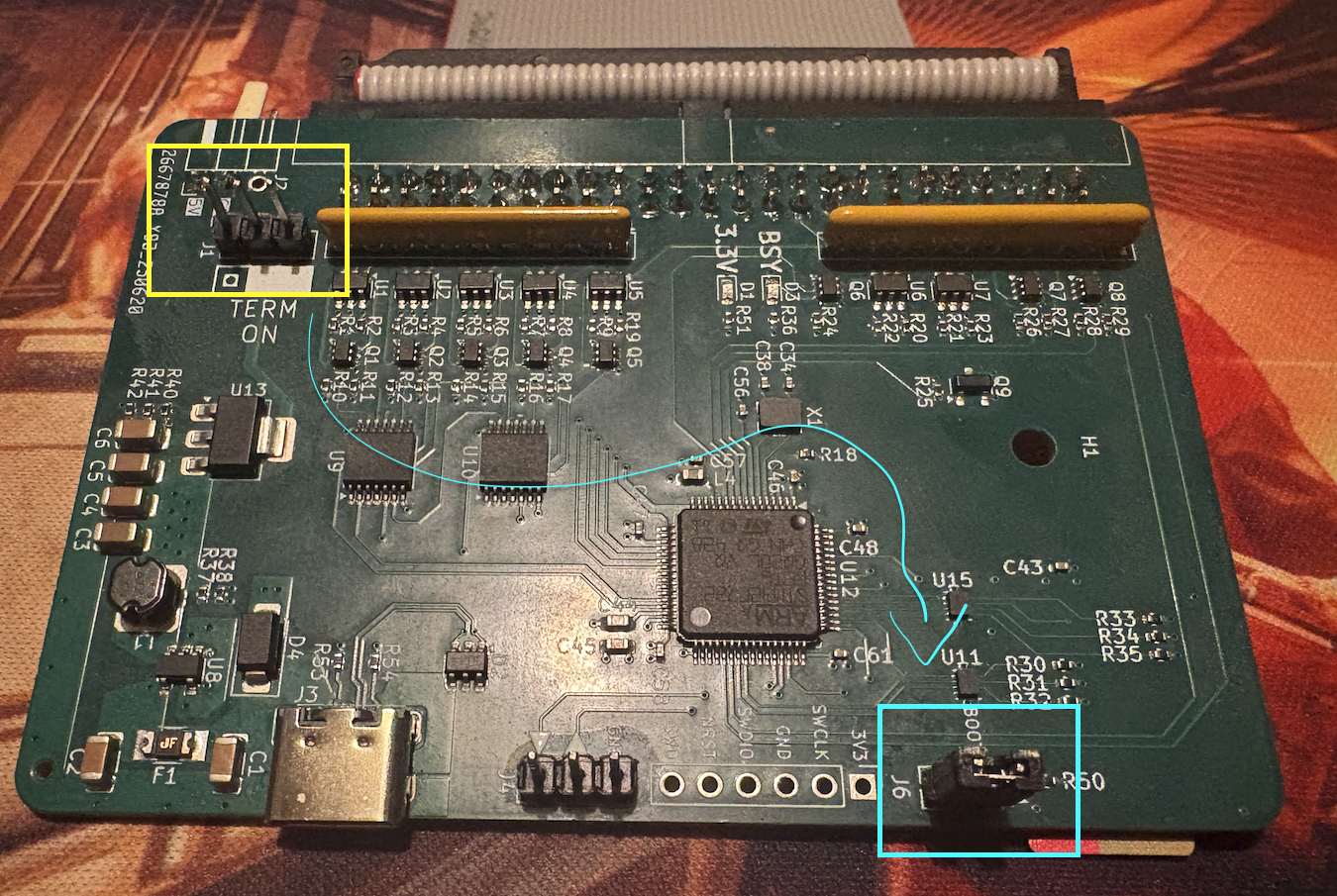
- Use the jumper available on Terminator connector and use it on BOOTP connector
Install required drivers
On Mac OS X
- Nothing to do, thanks the Apple
On Linux
- Create rules file, use the following command
sudo echo 'U1VCU1lTVEVNPT0idXNiIiwgQVRUUlN7aWRWZW5kb3J9PT0iMDQ4MyIsIEFUVFJTe2lkUHJvZHVjdH09PSJkZjExIiwgTU9ERT0iMDY2NiIK' | base64 -d > /etc/udev/rules.d/50-stm32-dfu.rules
- Then launch the following commands
sudo udevadm control --reload-rules
sudo udevadm trigger
sudo snap connect chromium:raw-usb
- Reboot your machine
On Windows
- Plug the PolySCSI in Update Mode
- Go to https://zadig.akeo.ie
- Install Zadig last version
- Launch Zadig
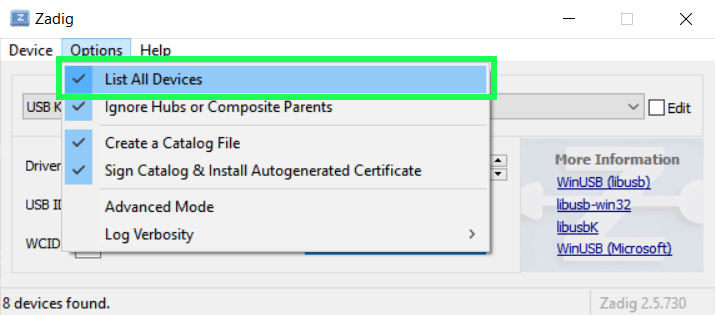
- On top menu Options --> List All Devices
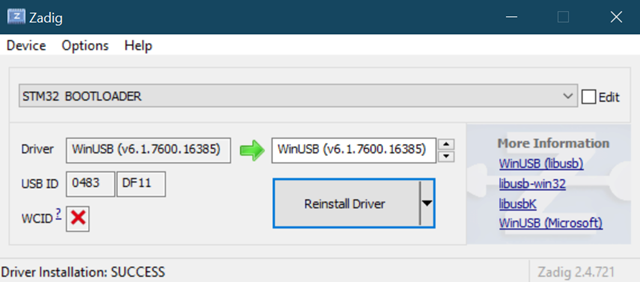
- On dropdown, select STM32 BOOTLOADER
- Click Install Driver button (or Reinstall, depending on Zadig version)
- Plug the PolySCSI card
Performing Firmware Update
- Go to https://polyscsi.polykubos.fr
- Safari and Firefox web browser are not supported
- Use Chrome, Chromium, Edge
- Plug the PolySCSI card
- Select your firmware version based on the Revision of your board
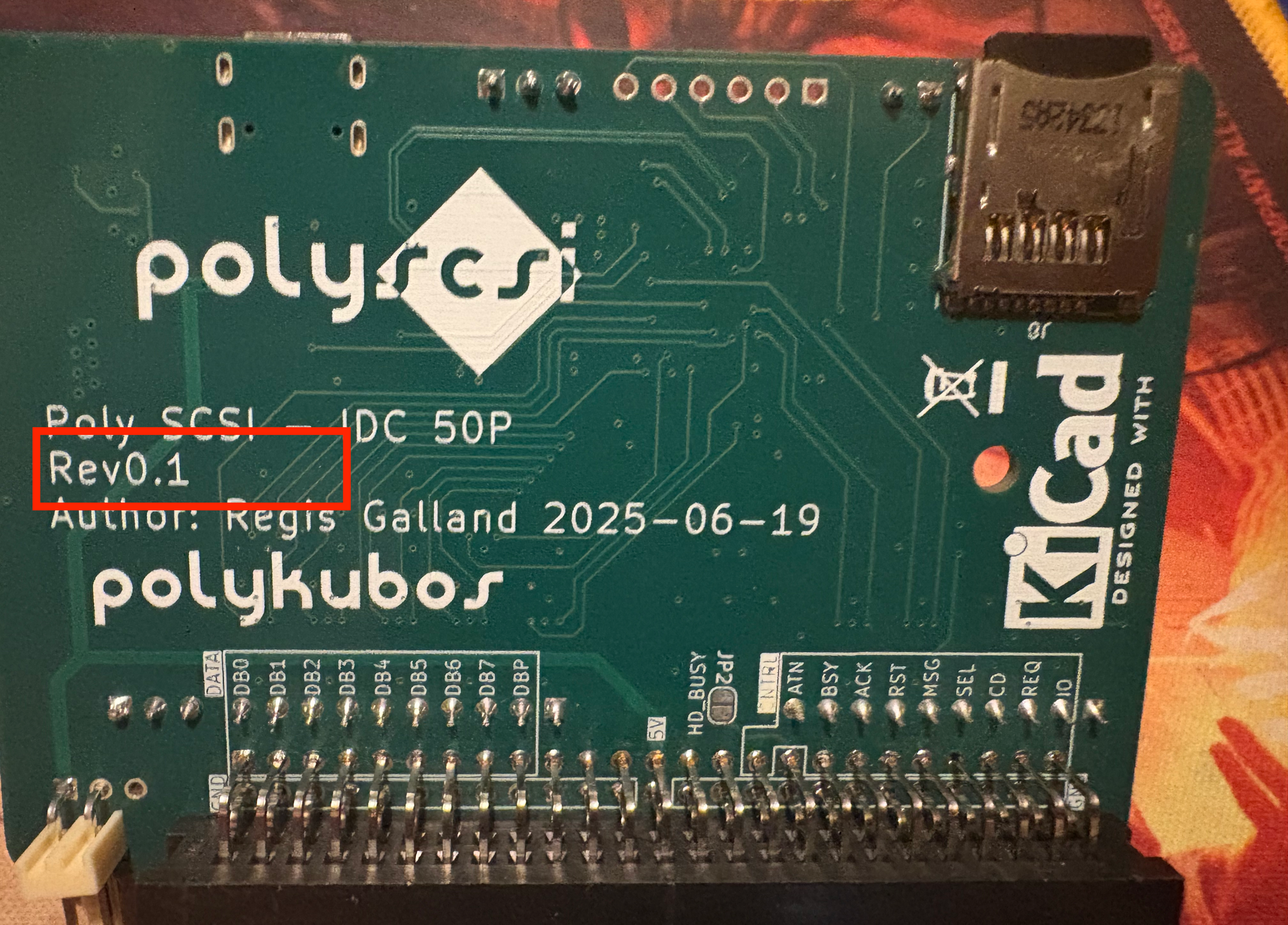
- The picture above shows a revision 0.1 of the board (Rev0.1)

Once your firmware selected, click "CONNECT USB" button
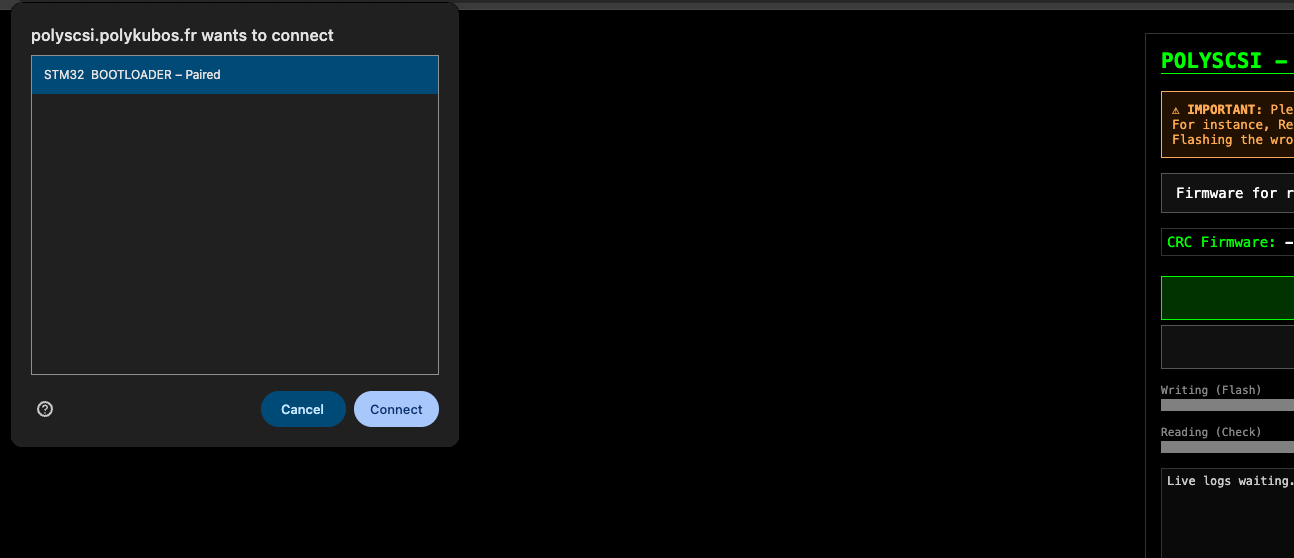
- Select "STM32 BOOTLOADER" and click "Connect"
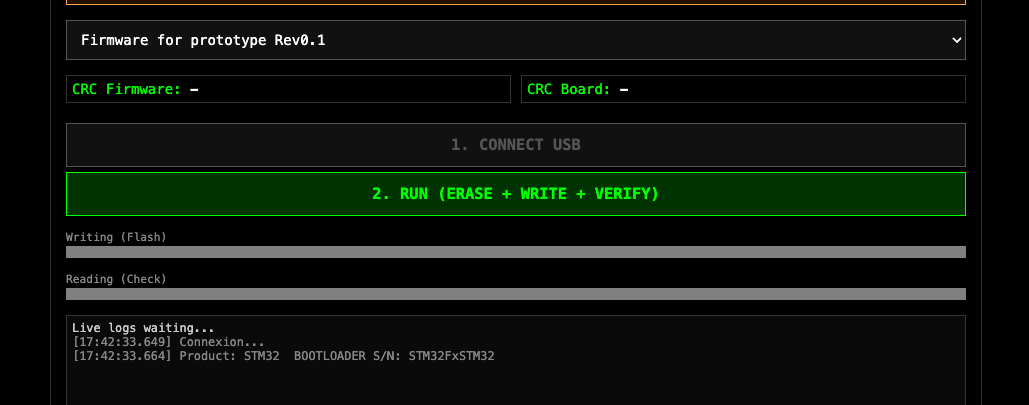
- Click "2. RUN" button to update firmware
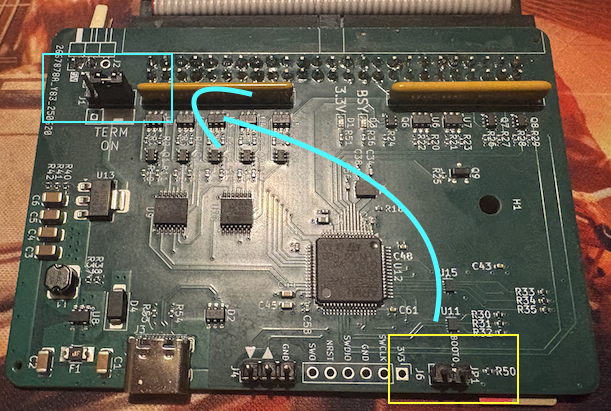
- Once the firmware update is done, unplug the PolySCSI card and replace the jumper to "Term On"
PolySCSI Card cannot be bricked, updating firmware is an ultra safe operation even if you select the wrong firmware.